 Energy Meter App
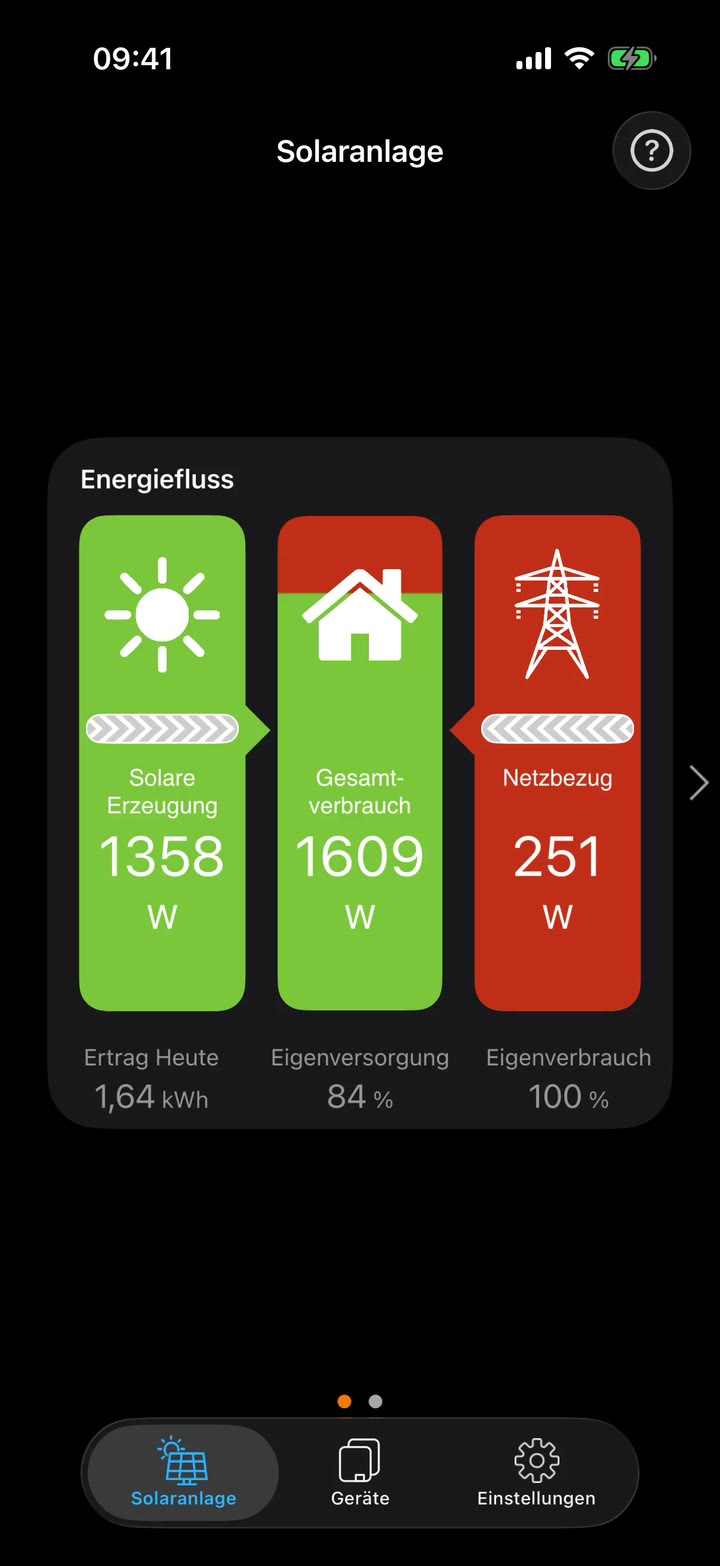
Power flow
Generation, house consumption, battery and grid in one view. You see right away whether the battery is charging and whether you are feeding in or drawing from the grid.
The Energy Meter App shows the live values of your inverters, your battery and your SMA Energy Meter. It reads them directly on your home network, via Modbus or Speedwire. You need no account and no portal. New values arrive every 1 to 5 seconds, depending on the device.

The app finds supported devices on your network by itself. They must be reachable via LAN or Wi-Fi.
On SMA inverters (solar, battery and hybrid inverters), Modbus TCP must be turned on in the device. Where to find the setting depends on the device type, and you often need the installer login for it. The manual explains how. If in doubt, ask your installer. The SMA Energy Meter needs no setup.
The overview shows at a glance where your solar power is going right now. Below it you find the live readings of each device.
Generation, house consumption, battery and grid in one view. You see right away whether the battery is charging and whether you are feeding in or drawing from the grid.
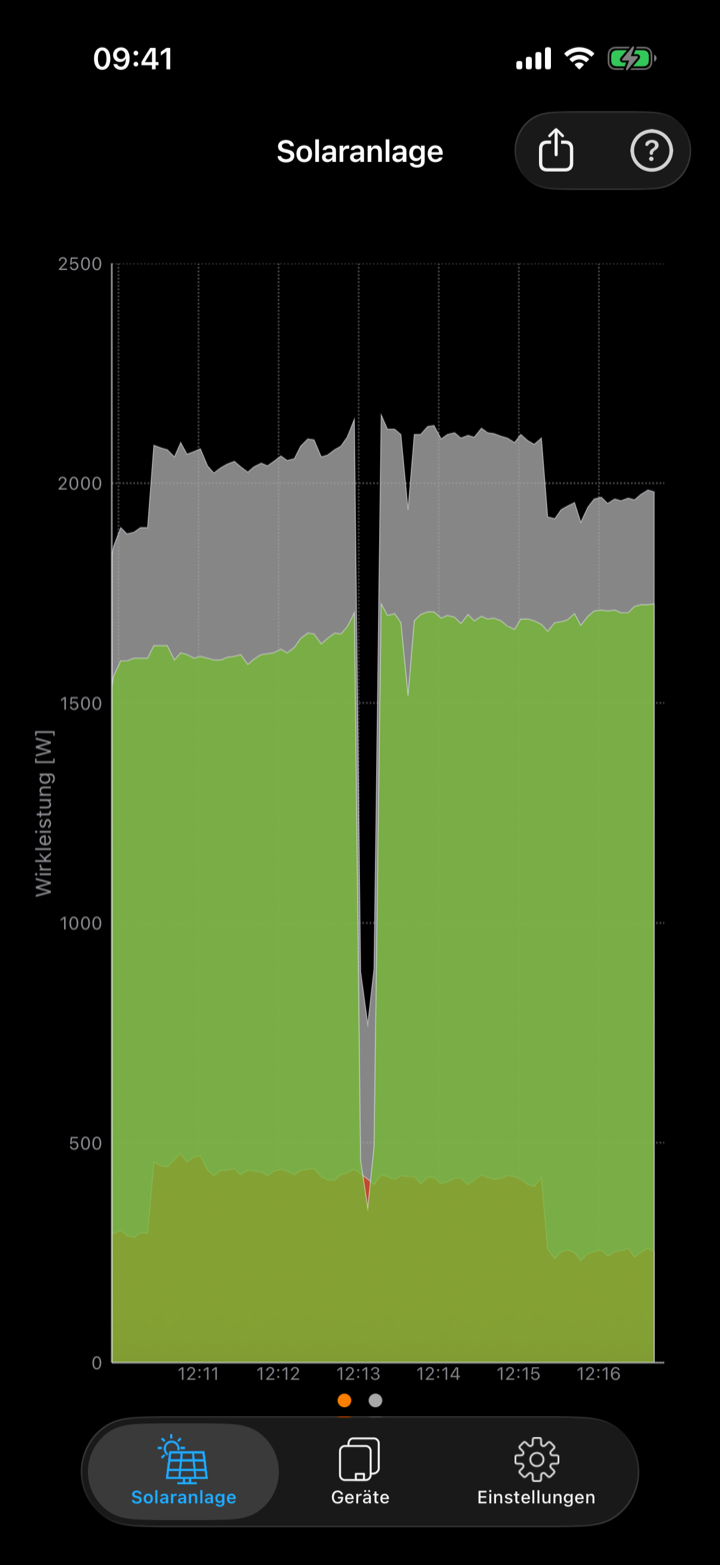
While the app is open, it records the live values and shows all power flows as a chart. Tap to show or hide single curves, and export the values as CSV.
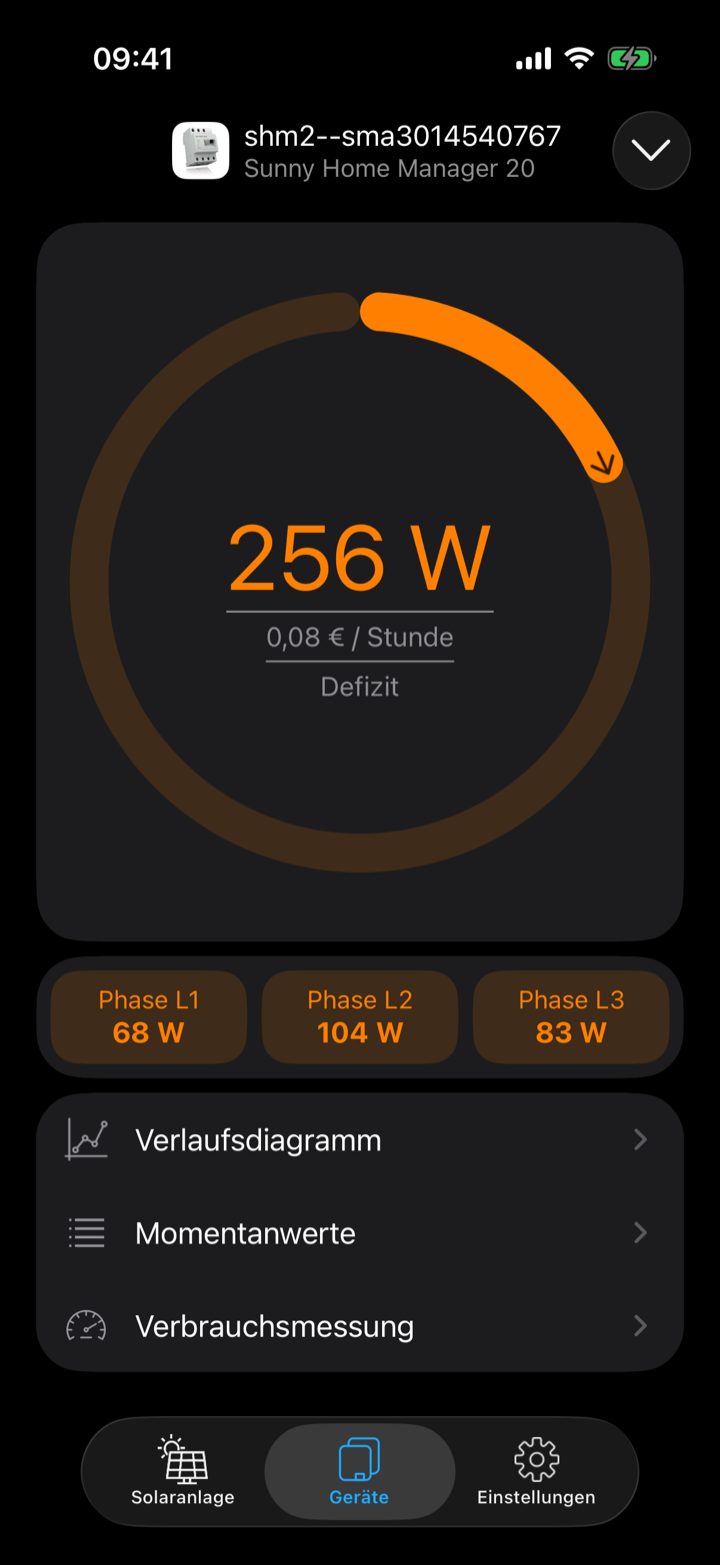
A colored ring shows grid import in orange and feed-in in green, along with the split across L1 to L3. Tap the center to convert the power into cost or feed-in earnings per hour, day, month and year.
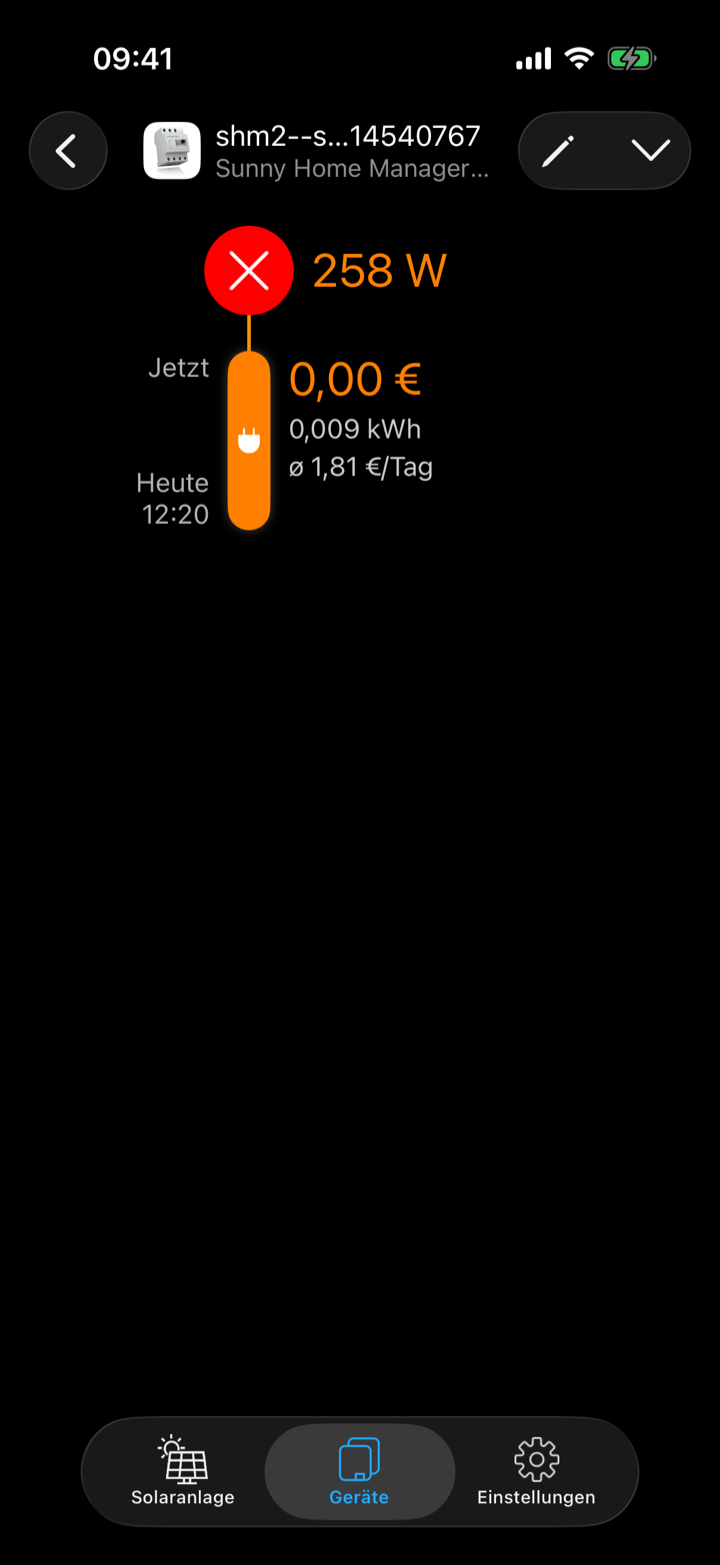
Start a measurement with “+” and switch on an appliance in your house. The app shows the energy used in kWh, its cost and the daily average.
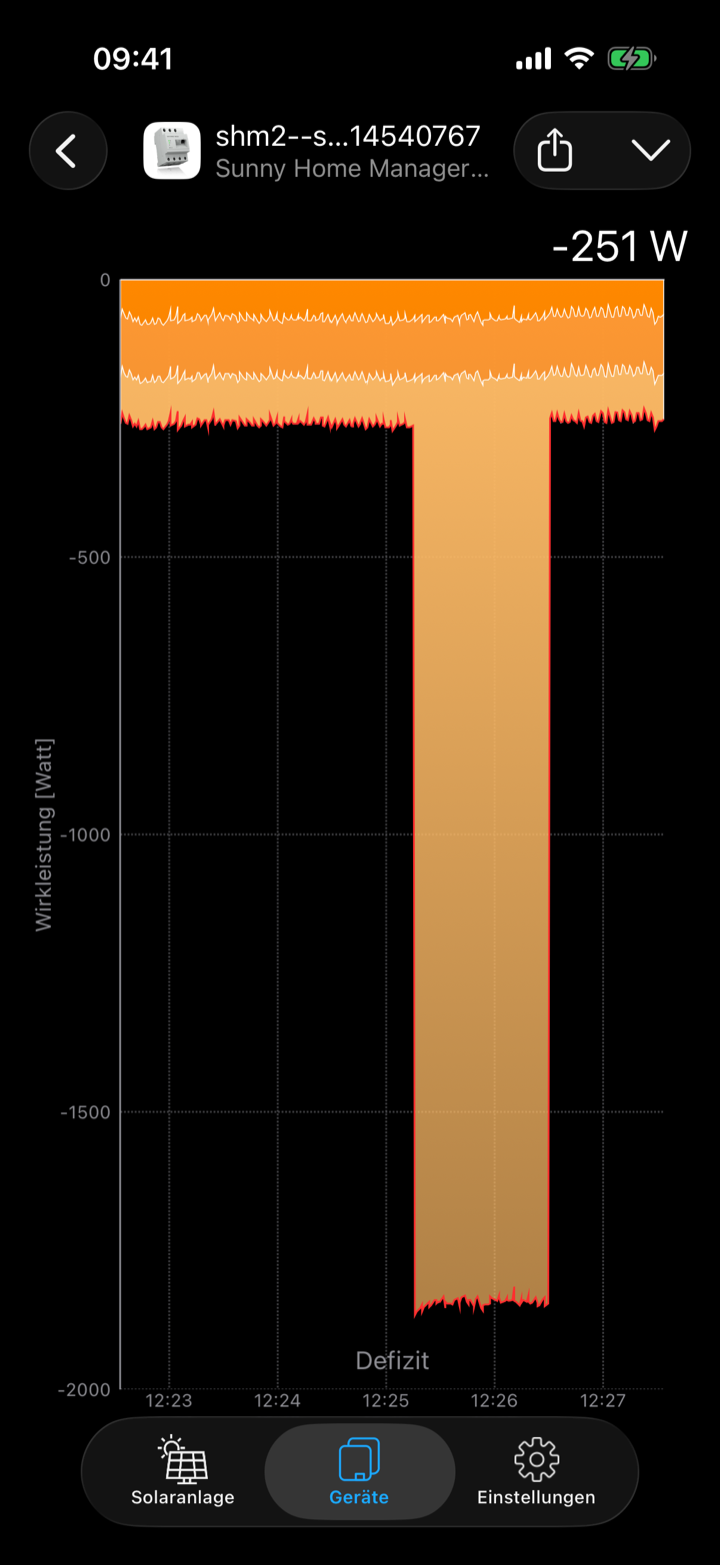
Total power and the three phases as a live curve. This lets you spot load peaks and phase imbalance in your house.
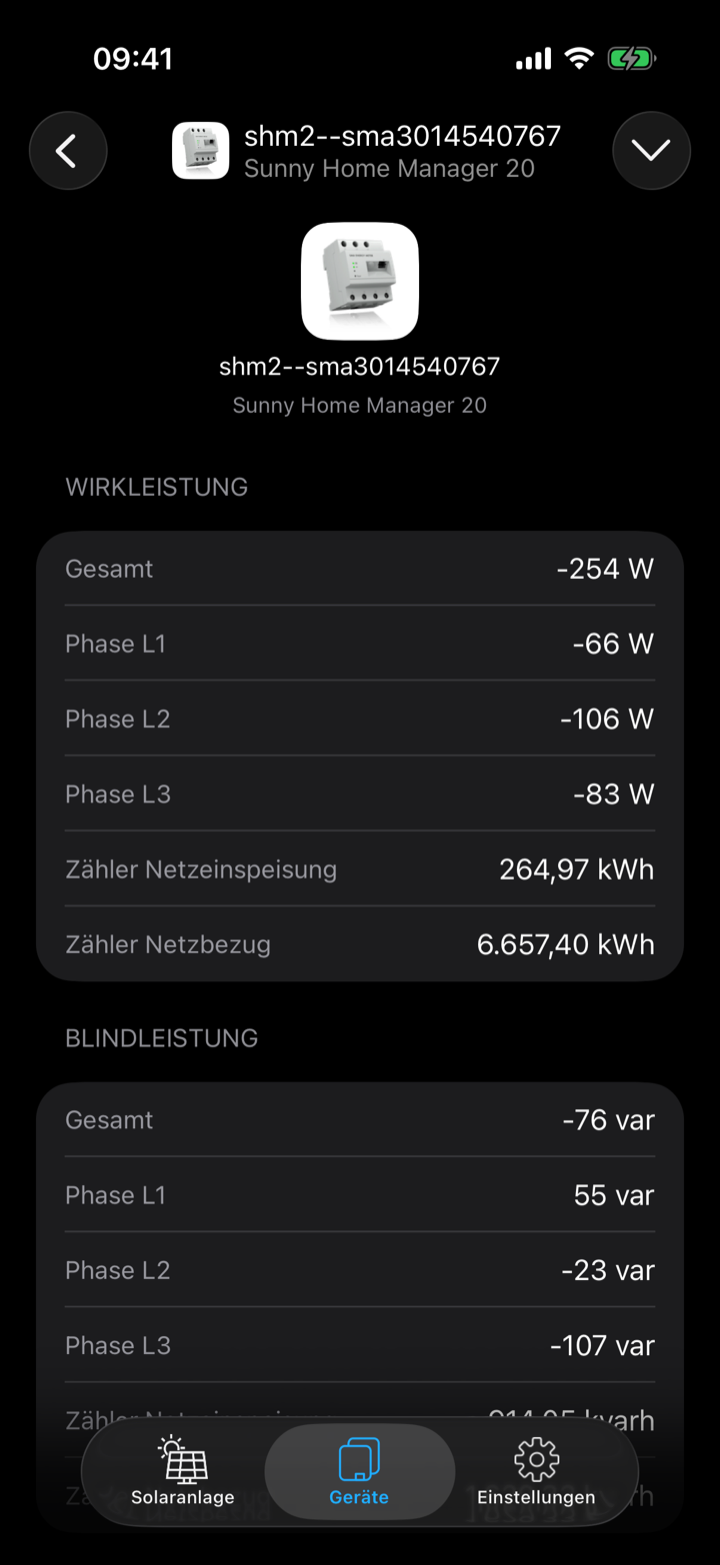
Every value the sensor provides. Tap the device to open its web interface.
The app now uses the Liquid Glass design of iOS 26 and still runs on iOS 15 or later.
Yes, through a VPN into your home network, for example with WireGuard or IPsec. Many routers such as the FRITZ!Box offer this out of the box. Once the VPN is connected, the app works as it does at home.
Automatic discovery does not work over VPN. Add your devices once with their IP address instead.
No. The app only reads the current readings. It does not read the yield and history data that the inverter stores itself.
The app records the history in the chart itself while it is open. When you bring the app back from the background, the chart starts over.
Your readings stay in the app. The app only talks to the devices on your network. There is no server, no account and no registration. Data only leaves your device if you send a request yourself via “Support / Contact”.
See the privacy policy for details (in German).
On iPhone and iPad with iOS or iPadOS 15 or later, and on the Mac. On the iPad, the app supports Split View. On iPhone and iPad it can also show the power flow on a connected monitor, for example as a fixed display on the wall (see the manual).
You buy the app once and can use it on all your Apple devices.
Buy once, open it on your home network, done.